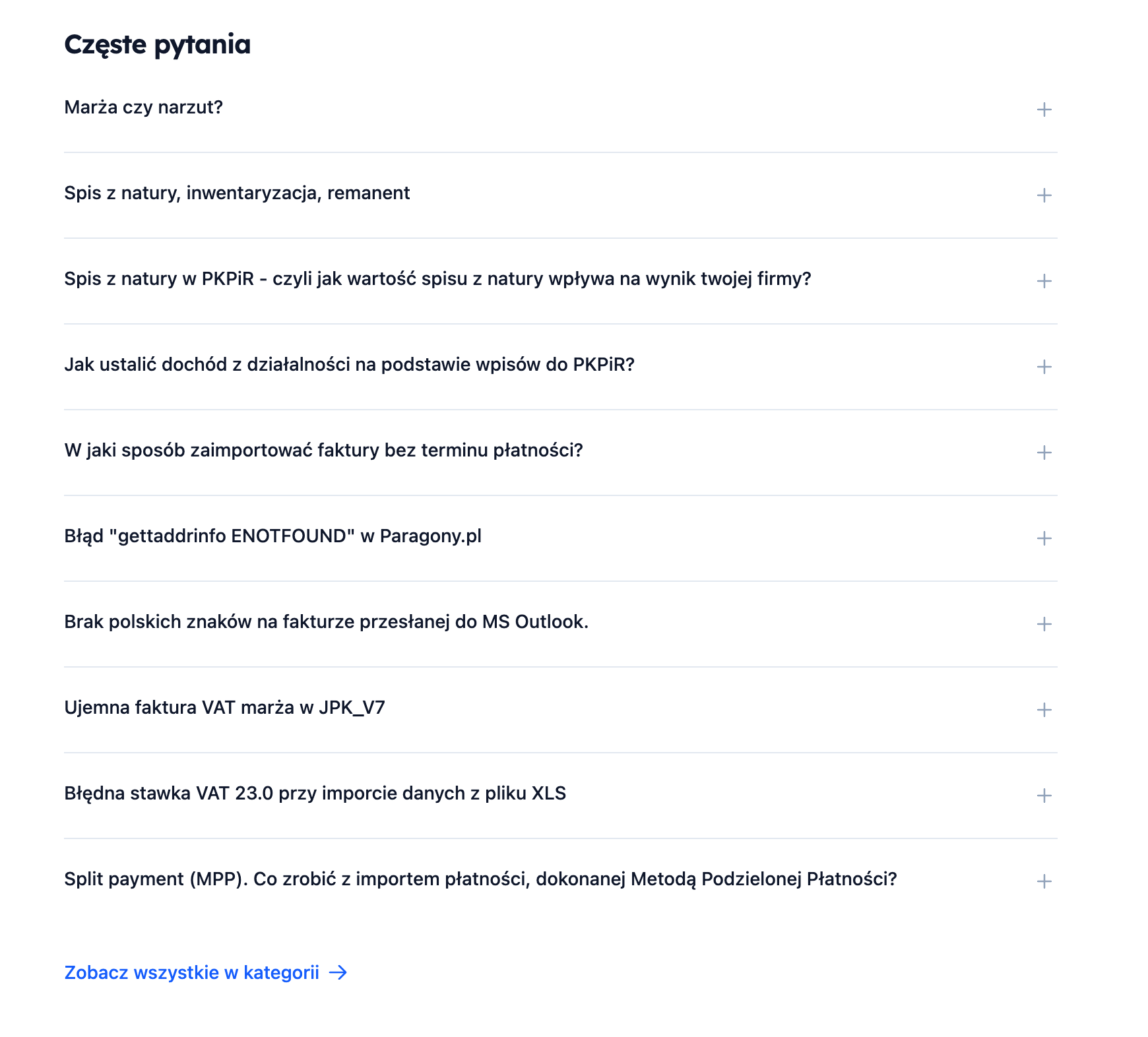
 The FAQ section appears **automatically** if there is a category that meets one of the conditions:
- The category name contains the word `faq`
- The category URL contains the word `faq`
- The category name contains the word `często`
- The category name contains the word `pytania`
**Example category names that will trigger the FAQ section:**
- `FAQ`
- `Frequently Asked Questions`
- `Most Common Questions`
The section displays **the first 10 entries** from this category in an accordion format (expandable questions). Upon clicking, a shortened content (600 characters) and a "Read more" link are shown.
### 5. Video Section (automatic)
The FAQ section appears **automatically** if there is a category that meets one of the conditions:
- The category name contains the word `faq`
- The category URL contains the word `faq`
- The category name contains the word `często`
- The category name contains the word `pytania`
**Example category names that will trigger the FAQ section:**
- `FAQ`
- `Frequently Asked Questions`
- `Most Common Questions`
The section displays **the first 10 entries** from this category in an accordion format (expandable questions). Upon clicking, a shortened content (600 characters) and a "Read more" link are shown.
### 5. Video Section (automatic)
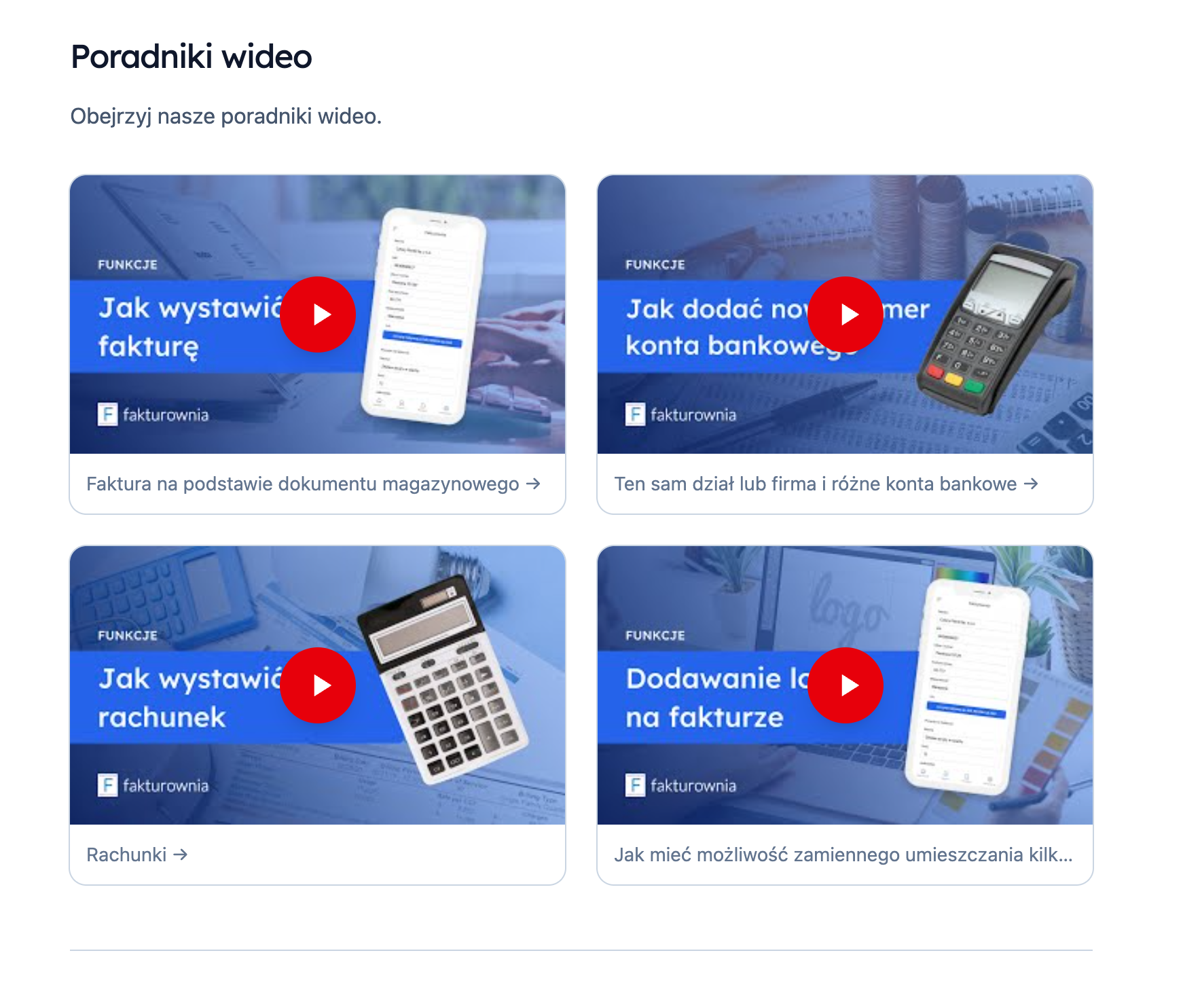 The video tutorial section appears **automatically** if there are entries with appropriate tags.
**Tags that trigger the video section:**
- `video`
- `film`
- `movie`
- `wideo`
- `tutorial`
- `poradnik`
**Requirements:**
1. The entry must have one of the above tags
2. The entry should contain a link to YouTube in the content
If the entry contains a YouTube link, the template automatically:
- Extracts the video ID from the URL
- Fetches the thumbnail from `img.youtube.com`
- Displays a play button
- Opens a modal with the YouTube player upon clicking
**Supported YouTube URL formats:**
- `youtube.com/embed/VIDEO_ID`
- `youtube.com/watch?v=VIDEO_ID`
- `youtu.be/VIDEO_ID`
## How to activate sections
The video tutorial section appears **automatically** if there are entries with appropriate tags.
**Tags that trigger the video section:**
- `video`
- `film`
- `movie`
- `wideo`
- `tutorial`
- `poradnik`
**Requirements:**
1. The entry must have one of the above tags
2. The entry should contain a link to YouTube in the content
If the entry contains a YouTube link, the template automatically:
- Extracts the video ID from the URL
- Fetches the thumbnail from `img.youtube.com`
- Displays a play button
- Opens a modal with the YouTube player upon clicking
**Supported YouTube URL formats:**
- `youtube.com/embed/VIDEO_ID`
- `youtube.com/watch?v=VIDEO_ID`
- `youtu.be/VIDEO_ID`
## How to activate sections
| Section | How to activate |
|---|---|
| Latest | Automatically (just need to have entries) |
| Popular | Automatically (just need to have entries with views) |
| FAQ | Create a category with "faq" or "questions" in the name/URL |
| Video | Add the tag video, tutorial, or guide to entries |